
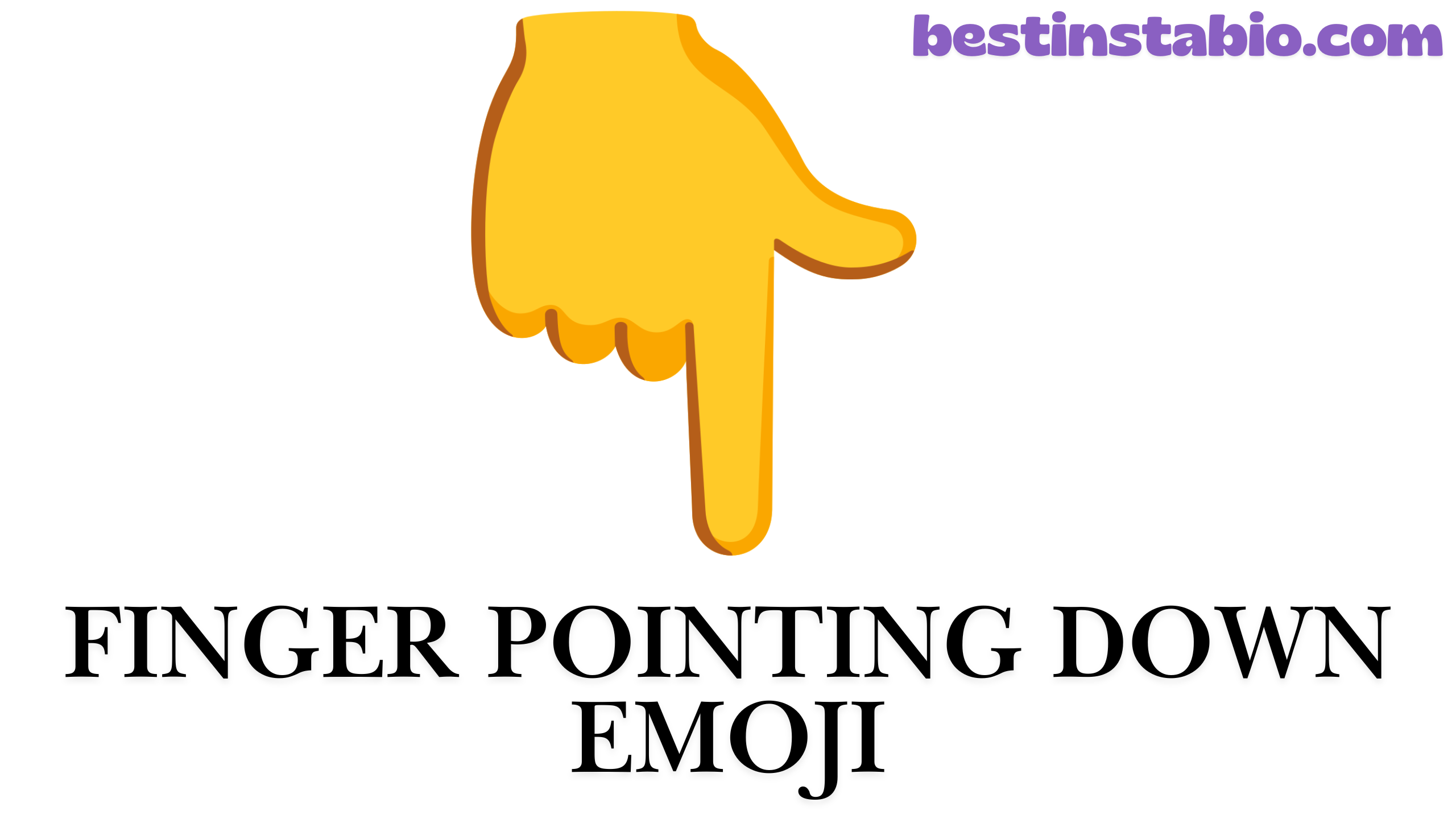
Have you ever needed to draw attention to something important in your messages? The finger pointing down emoji is one of the most useful hand gesture emojis you can use.
Whether you’re on social media, text messaging, or digital communication platforms, this emoji helps you point below and highlight content like a pro.
In this complete guide, you’ll learn everything about the backhand index pointing down emoji, from its meaning to creative ways to use it in 2025.
What Is the Finger Pointing Down Emoji? 👇
The pointing down emoji 👇 shows a hand with the index finger extended downward. Its official name is the backhand index pointing down emoji, and it’s also known as the white down pointing backhand index.
This directional emoji is part of the People and Body emoji category, specifically under hand symbols. The index finger pointing downward creates a clear visual signal that tells people to look underneath or below text.
Quick Facts About This Emoji:
- Official Name: Backhand Index Pointing Down
- Category: People & Body / Hand Symbols
- Subcategory: Hand with Single Finger
- Year Released: 2010 (Unicode 6.0)
- Emoji Version: 1.0 (2015)
Common Names:
- Finger pointing down
- Pointing down emoji
- Down pointing finger
- Backhand pointing emoji
- Index finger pointing downward
Meaning & Symbolism
The backhand index pointing down emoji has several meanings depending on how you use it. Understanding these meanings will help you use this hand gesture emoji correctly in your messages.
Primary Meanings:
1. Drawing Attention to Content Below
The main purpose is to draw attention to something important that comes next. When you place this emoji in your message, it signals “look at what’s coming” or “check this out.”
Example: “Here’s the big news 👇”
2. Highlighting Important Messages
Use this directional emoji to make sure people don’t miss an important message. It works like a visual arrow pointing to critical information.
Example: “Don’t forget 👇 Meeting at 3 PM”
3. Indicating Direction Downward
This emoji literally shows direction downward, making it perfect for:
- Scrolling instructions
- Dropdown menus
- Links below text
- Images or videos posted underneath
4. Emphasis and Urgency
The pointing down emoji adds emphasis to your messages. It tells readers “this matters” or “pay attention here.”
5. Social Media Engagement
On platforms like Instagram, TikTok, and Twitter, this emoji encourages people to:
- Read captions
- Check comments
- Click links in bio
- Watch videos
Cultural and Emotional Meanings:
Casual Pointing: In friendly conversations, it’s a casual way to reference something
Feeling Down: Some people use it to express feeling sad or low
“Check This Out”: An excited way to share news or updates
Professional Direction: In business messages, it maintains professionalism while guiding attention
Common Uses in Text Messages & Social Media
The backhand index pointing down emoji is incredibly versatile in digital communication. Here’s how people actually use it across different platforms in 2025.
Text Messaging Uses:
1. Directing to Links or Information “Found the perfect recipe 👇 [link]”
2. Creating Lists “Things to buy 👇 Milk, eggs, bread”
3. Sharing Screenshots “Look at this text I got 👇”
4. Forwarding Content “My mom sent this 👇”
5. Building Suspense “You won’t believe what happened 👇”
Social Media Applications:
Instagram:
- “Link in bio 👇” (most common use)
- “Swipe for more 👇”
- “Tag someone who needs this 👇”
- Directing to carousel posts
- Pointing to video content
TikTok:
- “Part 2 👇” in comments
- Directing to stitched videos
- Pointing to creator credits
- Highlighting product links
- Series continuation indicators
Twitter/X:
- Thread continuations
- Poll directions
- Quoted tweet references
- Important message highlights
- Breaking news alerts
Facebook:
- Event details below
- Photo album directions
- Comment engagement
- Share prompts
- Article summaries
LinkedIn:
- Professional announcements
- Job posting highlights
- Article introductions
- Resource sharing
- Call-to-action statements
Marketing and Business Uses (2025 Trends):
Email Marketing:
- “Click here for 50% off 👇”
- Newsletter section dividers
- CTA (Call-to-Action) emphasis
E-commerce:
- Product feature highlights
- Size chart directions
- Review sections
- Shipping info pointers
Content Creation:
- Blog post introductions
- YouTube video descriptions
- Podcast show notes
- Newsletter headers

How to Copy and Paste the Pointing Down Emoji
Getting the finger pointing down emoji on your device is simple. Here are multiple methods for copy and paste across all platforms.
Method 1: Copy From Here (Fastest)
Simply click and copy: 👇
All Skin Tone Versions: 👇 👇🏻 👇🏼 👇🏽 👇🏾 👇🏿
Method 2: Keyboard Shortcuts
On iPhone/iPad:
- Open your keyboard
- Tap the emoji button (😊)
- Tap the hand symbols category
- Find the backhand index pointing down
- Tap to insert
On Android:
- Long-press the text field
- Tap emoji keyboard
- Select People and Body emoji category
- Scroll to hand gesture emoji section
- Tap the pointing down emoji
On Windows 10/11:
- Press Windows Key + Period (.) or Windows Key + Semicolon (;)
- Click the emoji panel
- Search “pointing” or browse hand symbols
- Click to insert
On Mac:
- Press Command + Control + Space
- Type “pointing down” in search
- Double-click the emoji
Method 3: Text Replacement (Pro Tip)
Create a shortcut on your phone:
iPhone:
- Settings → General → Keyboard → Text Replacement
- Add phrase: 👇
- Shortcut: “pd” or “pointdown”
Android:
- Settings → System → Languages & Input → Personal Dictionary
- Add your shortcut
Now typing “pd” automatically inserts 👇
For Developers and Designers:
If you need the emoji code for websites or apps, here are the technical details:
HTML Code: 👇
CSS Code: \1F447
JavaScript/JSON: \u{1F447}
Unicode: U+1F447
Shortcode: :point_down:
Different Skin Tone Versions
The backhand index pointing down emoji comes in six different skin tone variations, making it inclusive for all users. This feature was added to represent diversity in digital communication.
All Six Versions:
| Emoji | Description | Unicode | When to Use |
|---|---|---|---|
| 👇 | Default (Yellow) | U+1F447 | Generic use, no specific representation |
| 👇🏻 | Light Skin Tone | U+1F447 U+1F3FB | Light complexion representation |
| 👇🏼 | Medium-Light Skin Tone | U+1F447 U+1F3FC | Medium-light complexion |
| 👇🏽 | Medium Skin Tone | U+1F447 U+1F3FD | Medium complexion |
| 👇🏾 | Medium-Dark Skin Tone | U+1F447 U+1F3FE | Medium-dark complexion |
| 👇🏿 | Dark Skin Tone | U+1F447 U+1F3FF | Dark complexion representation |
How to Select Skin Tones:
On Mobile (iPhone/Android):
- Long-press the finger pointing down emoji
- A popup shows all skin tone variations
- Slide to your preferred tone
- Release to select
On Desktop:
- Most platforms show tone options in emoji picker
- Right-click or hover for variations
- Select your preferred version
Why Skin Tones Matter:
The addition of skin tone variations makes emojis more inclusive and personal. You can choose the tone that represents you, making your text messaging more authentic and representative.
In professional settings, many people stick with the default yellow to remain neutral. In personal messages, people often choose tones that match their identity.
Emoji Variations Across Platforms (Apple, Android, etc.)
The backhand index pointing down emoji looks slightly different depending on your device or platform. While the core design remains the same an index finger pointing downward each company adds its own style.
Platform-by-Platform Comparison:
| Platform | Style Description | Notable Features |
|---|---|---|
| Apple (iOS) | Realistic 3D style with subtle shadows | Detailed skin texture, natural hand position |
| Google (Android) | Flat, minimalist design | Bold colors, simplified shapes |
| Samsung | Glossy, cartoonish appearance | Rounded edges, bright yellow |
| Microsoft | Simple, flat design | Clean lines, minimal detail |
| Friendly, approachable style | Smooth gradients, warm tones | |
| Bright, cheerful design | Thick outlines, vibrant colors | |
| Bold, modern look | High contrast, clear shapes | |
| LG | Realistic with soft shadows | Natural proportions |
How Designs Differ:
Finger Position: Some platforms show the finger more angled, others perfectly vertical
Hand Detail: Apple shows knuckle wrinkles and skin texture; Google keeps it smooth
Color Tone: The default yellow varies from bright gold (Samsung) to soft yellow (Apple)
Background: Most have transparent backgrounds, but some older versions had white
Size Proportions: Finger length and hand width vary slightly
Why Platform Differences Matter:
When you send the pointing down emoji from an iPhone to an Android user, they’ll see their platform’s version, not yours. The meaning stays the same, but the visual style changes.
For social media and digital communication, this rarely causes confusion. The backhand pointing emoji is universally recognized regardless of platform.
Cross-Platform Compatibility:
All Major Platforms Support:
- The basic finger pointing down emoji
- All six skin tone variations
- Proper display in messages, posts, and comments
Compatibility Tips:
- Emojis display correctly across all modern devices (2015+)
- Older phones might show a rectangle box instead
- Always works on updated apps and operating systems
Unicode and Technical Details
For developers, designers, and tech enthusiasts, here are the complete technical specifications for the backhand index pointing down emoji.
Unicode Information:
Character Name: Backhand Index Pointing Down
Unicode Version: 6.0 (October 2010)
Emoji Version: 1.0 (August 2015)
Code Point: U+1F447
Block: Miscellaneous Symbols and Pictographs
Sub-Block: Hand Symbols
Plane: 1 (Supplementary Multilingual Plane)
Category: So (Symbol, Other)
Encoding Details:
| Encoding | Hex Bytes | Decimal | Binary |
|---|---|---|---|
| UTF-8 | F0 9F 91 87 | 240 159 145 135 | 11110000 10011111 10010001 10000111 |
| UTF-16 | D83D DC47 | 55357 56391 | 1101100000111101 1101110001000111 |
| UTF-32 | 0001F447 | 128071 | 00000000000000011111010001000111 |
Implementation Codes:
HTML Entity: 👇 or 👇
CSS: content: "\1F447";
JavaScript: "\u{1F447}" or "\uD83D\uDC47"
Python: "\U0001F447"
Java: "\uD83D\uDC47"
C/C++: "\xF0\x9F\x91\x87"
URL Encoding: %F0%9F%91%87
Shortcodes:
- Discord:
:point_down: - Slack:
:point_down: - GitHub:
:point_down:
Skin Tone Modifiers (Technical):
The skin tone variations use Unicode modifier characters:
| Modifier | Unicode | Result |
|---|---|---|
| Light | U+1F3FB | 👇🏻 |
| Medium-Light | U+1F3FC | 👇🏼 |
| Medium | U+1F3FD | 👇🏽 |
| Medium-Dark | U+1F3FE | 👇🏾 |
| Dark | U+1F3FF | 👇🏿 |
To create a skin tone version: Base emoji (U+1F447) + Modifier (U+1F3FB-FF)
Browser and Device Support:
Fully Supported:
- Chrome 51+
- Firefox 45+
- Safari 9.1+
- Edge 14+
- iOS 8.3+
- Android 5.0+
- Windows 10+
Legacy Display:
- Older systems show as missing character (□)
- Always use fallback text for critical messages
Related Hand Gesture Emojis
The finger pointing down emoji is part of a larger family of hand gesture emojis. Here are related emojis you might want to use alongside or instead of the backhand index pointing down.
Directional Pointing Emojis:
| Emoji | Name | Best Use |
|---|---|---|
| 👆 | Backhand Index Pointing Up | Point to content above, previous messages |
| 👉 | Backhand Index Pointing Right | Next item, forward direction, bullet points |
| 👈 | Backhand Index Pointing Left | Go back, previous item, left alignment |
| ☝️ | Index Pointing Up | Attention, “wait,” idea, important point |
| 🖕 | Middle Finger | Offensive gesture (use carefully!) |
Other Useful Hand Symbols:
👍 Thumbs Up – Approval, agreement, like 👎 Thumbs Down – Disapproval, dislike, negative 👏 Clapping Hands – Applause, congratulations, emphasis 🙌 Raising Hands – Celebration, praise, excitement 👋 Waving Hand – Hello, goodbye, attention 🤝 Handshake – Agreement, deal, partnership ✋ Raised Hand – Stop, wait, high five 🤚 Raised Back of Hand – Stop gesture, palm out 🖐️ Hand with Fingers Splayed – High five, stop, five items ✊ Raised Fist – Solidarity, strength, resistance 👊 Oncoming Fist – Fist bump, punch, strength 🤛 Left-Facing Fist – Fist bump from left 🤜 Right-Facing Fist – Fist bump from right 🤞 Crossed Fingers – Good luck, hope, promise ✌️ Victory Hand – Peace, victory, two items 🤟 Love-You Gesture – “I love you” in sign language 🤘 Sign of the Horns – Rock on, heavy metal 🤙 Call Me Hand – Call me, hang loose, shaka
Combining with the Pointing Down Emoji:
For Lists: “Top 3 reasons 👇 1️⃣ First reason 2️⃣ Second reason 3️⃣ Third reason”
For Emphasis: “🚨 IMPORTANT 👇 Details below”
For Directions: “Start here 👉 then 👇”
For Engagement: “Like 👍 and check 👇”
When to Use Each:
Use 👇 when: You want people to read what comes next, scroll down, or check below text
Use 👆 when: Referring to previous content, going back up
Use 👉 when: Moving forward, next steps, continuing right
Use ☝️ when: Making a point, having an idea, “hold on”
Use 👍 when: Showing approval without direction
Creative Ways to Use This Emoji
The backhand index pointing down emoji is more than just a simple directional emoji. Here are innovative and creative ways to use it in 2025 to highlight content and improve your digital communication.
1. Create Visual Hierarchies
Use the pointing down emoji to organize information:
📋 Project Updates 👇

✅ Completed Tasks
👉 Design mockups
👉 Client approval

⏳ In Progress
👉 Development
👉 Testing

👇 Next Steps
2. Build Suspense in Storytelling
Example: “I never expected what happened next 👇
The door slowly opened 👇
And there stood 👇
My childhood best friend I hadn’t seen in 20 years!”
3. Email Newsletter Structure
Subject Line: “Your Weekly Tips Are Here 👇”
Body: “This week’s highlights 👇
💡 Tip #1… 💡 Tip #2… 💡 Tip #3…
Want more? Click 👇”
4. Social Media Challenges
Instagram Example: “Caption this photo 👇 Best answer gets a shoutout! 👇 Drop your captions below 👇”
5. Tutorial and How-To Content
“How to make the perfect coffee ☕
Step 1: Grind beans 👇 Step 2: Boil water 👇 Step 3: Brew 👇 Step 4: Enjoy!”
6. Product Launches
“Our biggest announcement of 2025 👇
🎉 NEW PRODUCT 🎉
Pre-order link 👇 [link]”
7. Poll and Survey Engagement
“Quick question 👇
Would you rather: A) Work from home 🏠 B) Work from office 🏢
Vote 👇”
8. Event Announcements
“SAVE THE DATE 📅
Company Holiday Party December 20th, 2025
Details 👇 Time: 6 PM Place: Grand Ballroom RSVP 👇”
9. Recipe Sharing
“Easy 3-Ingredient Cookies 🍪
Ingredients 👇 • Flour • Sugar • Butter
Instructions 👇 [recipe follows]”
10. Fitness and Wellness Posts
“Today’s Workout 💪
Warm-up (5 min) 👇 Main Set 👇 Cool-down 👇
Full routine 👇 [details]”
11. Comment Section Engagement
“Tag someone who needs to see this 👇”
“Share your story 👇”
“Drop a 👇 if you agree”
12. YouTube Video Descriptions
“In today’s video 👇
0:00 – Intro 2:15 – Main Topic 👇 10:30 – Tutorial 👇 15:00 – Conclusion
Links mentioned 👇”
13. Quote Graphics
“Remember 👇
‘Success is not final’ 👇
Save this 👇”
14. Countdown Announcements
“3 days until launch 👇 2 days until launch 👇 1 day until launch 👇 LIVE NOW 👇”
15. Multi-Platform Content Chains
Twitter Thread: “Thread on productivity tips 🧵👇
1/ First tip 👇 2/ Second tip 👇 3/ Third tip 👇”
Pro Tips for Creative Use:
✅ Do:
- Combine with other emojis for visual interest
- Use consistently across your brand
- Test what resonates with your audience
- Keep it natural and not forced
❌ Don’t:
- Overuse in single message (max 2-3 times)
- Use in formal legal or medical documents
- Spam repeatedly
- Use where direction downward doesn’t make sense
Industry-Specific Applications:
Real Estate: “New listing 🏡 👇 Virtual tour 👇”
Education: “Today’s lesson 📚 👇 Homework 👇”
Food & Beverage: “Menu special 🍕 👇 Order here 👇”
Fashion: “Outfit details 👇 Shop the look 👇”
Tech: “Update available 👇 Download 👇”
Frequently Asked Questions
What does the 👇 emoji mean?
The backhand index pointing down emoji means to look at something below or coming next in the message.
It’s used to draw attention to important message content, links, or information that follows. This hand gesture emoji is perfect for highlighting content in text messaging and social media.
How do I get the finger pointing down emoji?
You can copy and paste it from here: 👇
On mobile phones, access your emoji keyboard and find it under People and Body emoji or hand symbols. On computers, use Windows Key + Period (Windows) or Command + Control + Space (Mac) to open the emoji picker.
What’s the difference between 👇 and ☝️?
The backhand index pointing down (👇) points downward to content below text, while the index pointing up (☝️) typically means “wait,” “I have an idea,” or refers to content above.
The pointing down emoji shows direction downward, while pointing up often emphasizes a statement or thought.
Can I use skin tone variations?
Yes! The finger pointing down emoji comes in six versions including the default and five skin tone variations (light, medium-light, medium, medium-dark, and dark). Long-press the emoji on mobile to select your preferred tone.
Is this emoji professional?
Yes, the backhand index pointing down emoji is appropriate for professional communication. It’s commonly used in business emails, LinkedIn posts, and corporate social media to highlight content without being too casual. However, avoid overusing it in very formal documents.
What’s the Unicode for this emoji?
The Unicode code point is U+1F447. For developers, the emoji code in HTML is 👇 and in CSS is \1F447. This unicode character was approved in Unicode 6.0 (2010) and Emoji 1.0 (2015).
Why does the emoji look different on different phones?
Each platform (Apple, Google, Samsung, Microsoft) designs its own version of the backhand index pointing down.
While the basic meaning stays the same, the artistic style varies. Apple uses realistic 3D designs, while Google prefers flat, minimalist styles.
Can I use this emoji in hashtags?
Yes! The pointing down emoji works in hashtags on most social media platforms. For example: #CheckThis👇 or #LinkBelow👇. It can help your hashtags stand out in feeds.
How many times should I use it in one post?
For best results, use the finger pointing down emoji 1-3 times per post. Using it too much reduces its impact and can make your message look cluttered. Place it strategically where you want to draw attention.
What are similar emojis I can use?
Related directional emoji options include: 👆 (pointing up), 👉 (pointing right), 👈 (pointing left), and other hand gesture emojis like 👍 (thumbs up) or 👋 (waving hand). Choose based on the direction you want to indicate.
Does this emoji work in all languages?
Yes! The backhand pointing emoji is a universal symbol that works across all languages. The hand symbols category transcends language barriers, making it perfect for international digital communication.
Can I customize the emoji?
You can select from the six skin tone variations, but you cannot change colors, rotation, or design. The emoji displays according to your platform’s design system.
Is there a keyboard shortcut?
Some platforms use :point_down: as a shortcode. You can also create custom text replacement shortcuts on your phone (like “pd” → 👇) for faster access to this pointing down emoji.
When was this emoji created?
The backhand index pointing down was added to Unicode 6.0 in October 2010 and officially became an emoji in Emoji 1.0 in August 2015. It’s been a standard part of People and Body emoji collection for nearly a decade.
How do I use it in marketing?
In marketing, use the finger pointing down emoji to:
- Direct to call-to-action buttons
- Highlight content in email subject lines
- Point to product features
- Guide viewers to links or offers
- Create visual flow in promotional materials
Does it increase engagement?
Yes! Studies show that emojis, including the pointing down emoji, can increase engagement rates by 15-25% on social media posts. The visual direction downward naturally guides eyes to your content, improving click-through rates.
Can screen readers interpret this emoji?
Yes, screen readers announce this emoji as “backhand index pointing down” or “finger pointing down,” making it accessible for users with visual impairments. However, for critical information, always include text alongside emojis.
Is it copyrighted?
No, the backhand index pointing down emoji is part of the Unicode Standard and is free to use. You can use it in personal, commercial, and professional contexts without restriction.
Conclusion
The finger pointing down emoji 👇 is one of the most practical and versatile hand gesture emojis available for digital communication in 2025.
Whether you’re text messaging friends, posting on social media, or creating professional content, this backhand index pointing down emoji helps you effectively draw attention and highlight content.