
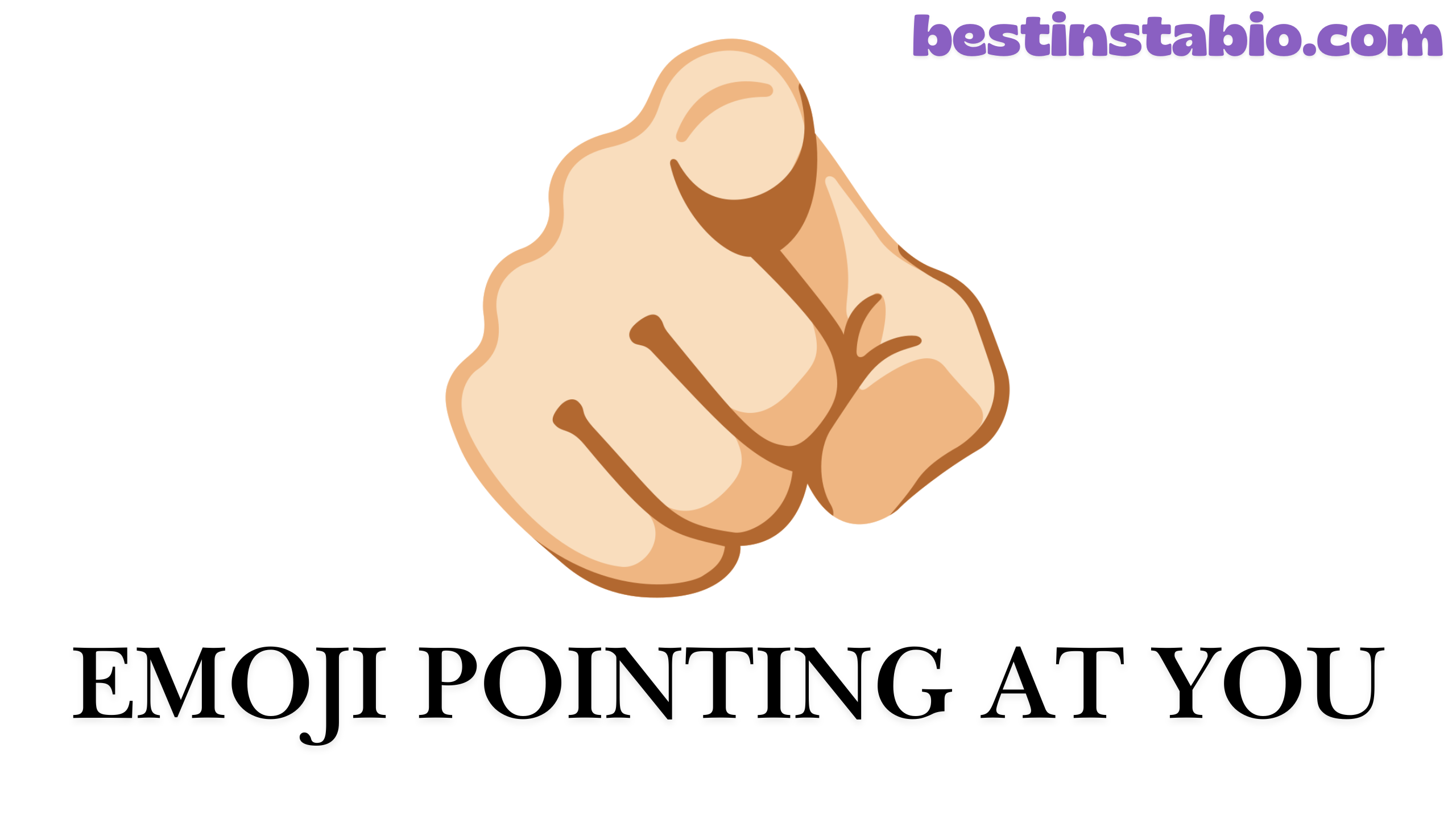
The emoji pointing at you 🫵, officially known as the index pointing at the viewer emoji, is one of the most direct and engaging symbols in digital communication.
This hand pointing emoji shows a single finger extended forward, appearing to point straight at whoever is looking at it—just like the famous Uncle Sam “I Want You” poster from military recruitment posters.
Released in September 2021 as part of Emoji Version 14.0 under Unicode version 13.0, this finger pointing at viewer emoji has quickly become a favorite for creating personal connections in messages, social media posts, and marketing content. The codepoint U+1FAF5 makes it universally recognizable across all platforms.
Unlike other pointing emojis that indicate direction (left, right, up, or down), this you emoji creates a sense of direct address.
When you use 🫵, you’re singling someone out—saying “Hey, I’m talking specifically to YOU!” It’s the digital equivalent of making eye contact and pointing directly at someone in a conversation.
The pointing at viewer emoji represents the second-person pronoun “you” in its most visual form. It’s an engagement gesture that breaks the fourth wall of digital communication, making your message feel more personal and directed.
Whether you’re calling someone out playfully, assigning responsibility, or just creating a friendly connection, this hand pointing emoji does the job perfectly.
This emoji pointing forward works across all major platforms including Apple, Google, Samsung, Microsoft, Facebook, and Twitter, though the design varies slightly.
The gesture itself is universal recognized in sign language and cultures worldwide as a way to indicate “you” or draw attention to a specific person.
How to Copy and Paste
Getting the pointing at you emoji into your messages is super simple. Here’s how to copy and paste this finger pointing emoji on any device:
Quick Copy Button
🫵 Click the emoji above to copy it instantly!
Manual Copy Methods
On Desktop (Windows/Mac):
- Highlight this emoji: 🫵
- Press Ctrl+C (Windows) or Command+C (Mac)
- Go to where you want to use it
- Press Ctrl+V (Windows) or Command+V (Mac)
On iPhone/iPad:
- Tap and hold the emoji: 🫵
- Select “Copy” from the menu
- Go to your message or post
- Tap and hold in the text field
- Select “Paste”
On Android:
- Long-press on the emoji: 🫵
- Tap “Copy”
- Navigate to your text field
- Long-press and select “Paste”
Using Emoji Keyboards
iPhone Emoji Keyboard:
- Open your keyboard and tap the emoji button (😊 icon)
- Search for “pointing” or “index”
- Find the index finger pointing at viewer emoji
- Tap to insert
Android Emoji Keyboard:
- Open your keyboard and tap the emoji icon
- Use the search function
- Type “pointing at viewer”
- Select the emoji pointing at you
Windows 10/11:
- Press Windows key + . (period) or Windows key + ; (semicolon)
- Search for “pointing”
- Click the finger pointing at viewer emoji
Mac:
- Press Command + Control + Space
- Search for “pointing viewer”
- Select the emoji
Alternative Code Input
For developers and technical users working with HTML codes for developers, you can insert this hand pointing emoji using:
- HTML Entity:
🫵 - Unicode:
U+1FAF5 - CSS Code:
\1FAF5 - JavaScript:
\u{1FAF5}
The meaning and usage of proper code implementation ensures the pointing finger emoji displays correctly across all browsers and platforms.

What Does 🫵 Mean?
The pointing at you emoji carries multiple meanings depending on context, but all center around the concept of “YOU.” Here’s a comprehensive breakdown of what this you emoji really means:
Primary Meanings
1. Direct Address The most common meaning and usage is to directly address someone. When you send 🫵, you’re saying “I’m talking to YOU specifically.” It’s the second-person pronoun in visual form, creating immediate personal connection.
2. Responsibility Assignment This finger pointing at viewer emoji often indicates “This is YOUR job” or “YOU need to handle this.” It’s frequently used in team communications, project management, and delegation scenarios.
3. Call to Action Like the famous Uncle Sam reference in military recruitment posters (“I Want YOU for U.S. Army”), this emoji creates urgency and personal appeal. It’s powerful in marketing and persuasive messaging.
4. Recognition & Acknowledgment The pointing at viewer emoji can mean “Yes, YOU!” when celebrating someone’s achievement, calling them out for something positive, or acknowledging their contribution.
5. Playful Accusation In casual conversations, this hand pointing emoji often playfully accuses someone: “I know it was YOU!” or “YOU’RE the one who ate my lunch!”
Cultural Context
The index pointing at the viewer gesture has deep cultural roots:
- Military History: The Uncle Sam reference from World War I recruitment campaigns made this gesture iconic for personal appeal
- Advertising Legacy: Marketers have used this engagement gesture for over a century to create connection with viewers
- Social Media Era: The emoji brings this classic technique to digital platforms
- Universal Understanding: Unlike some gestures that vary by culture, pointing at someone is nearly universally understood
Emotional Tone
The emoji pointing at you can convey:
- Confidence and directness
- Friendliness and inclusion
- Urgency and importance
- Humor and playfulness
- Authority and command
- Excitement and enthusiasm
Sign Language Connection
In sign language, pointing is a fundamental way to reference people and objects. This finger pointing emoji mirrors that directness, making it accessible and clear across communication styles.
When to Use This Emoji
The pointing at you emoji works brilliantly in specific situations. Here’s when to use this index finger pointing gesture for maximum impact:
Personal Messages
Greeting Someone Specifically:
- “Hey 🫵! Long time no see!”
- “This message is for 🫵”
- “🫵 You’re looking great today!”
Making Plans:
- “Are 🫵 free this weekend?”
- “🫵 Should totally join us for dinner”
- “Counting on 🫵 to bring the snacks”
Expressing Thanks:
- “🫵 You’re the best!”
- “Thanks 🫵 for always being there”
- “Couldn’t have done it without 🫵”
Professional Communication
Task Assignment:
- “🫵 Need to review this report by Friday”
- “This project is all 🫵”
- “🫵 You’re leading the presentation”
Team Motivation:
- “We’re counting on 🫵”
- “🫵 You’ve got this!”
- “Only 🫵 can make this happen”
Recognition:
- “Employee of the month? That’s 🫵!”
- “Great work 🫵”
- “🫵 Really knocked it out of the park”
Social Media Posts
Creating Engagement:
- “Yes 🫵! This post is for YOU”
- “Which one are 🫵? Comment below!”
- “🫵 Need to see this”
Call-to-Action Posts:
- “Ready to transform your life? Then 🫵 need to click this link”
- “This offer is for 🫵”
- “🫵 Don’t miss out!”
Interactive Content:
- “🫵 Your turn to share your story”
- “Tag 🫵 who needs to hear this”
- “🫵 What do you think?”
Marketing & Sales
Direct Appeal:
- “This deal was made for 🫵”
- “🫵 Deserve the best”
- “We’re talking to 🫵, yes YOU”
Urgency Creation:
- “Last chance for 🫵”
- “🫵 Only have 24 hours left”
- “This won’t last, 🫵 better hurry”
Personalization:
- “We picked this just for 🫵”
- “🫵 Your personalized recommendation”
- “Because 🫵 you’re special to us”
Casual Conversations
Joking Around:
- “I know 🫵 took the last cookie!”
- “🫵 You’re such a troublemaker”
- “Caught 🫵 red-handed!”
Making Decisions:
- “It’s up to 🫵”
- “🫵 You choose!”
- “Whatever 🫵 want”
Showing Support:
- “I believe in 🫵”
- “🫵 You can do this”
- “Rooting for 🫵”
When NOT to Use This Emoji
While versatile, avoid using the finger pointing at viewer in:
- Extremely formal business correspondence
- Sensitive conversations requiring delicacy
- When you might appear aggressive or confrontational
- Legal or official documents
- Initial contact with strangers where it might seem too forward
The hand pointing emoji works best when you’ve established rapport and want to create that personal, direct address feeling.
Real-Life Examples
Let’s look at how people actually use the pointing at you emoji in everyday digital communication. These real-world scenarios show the meaning and usage in action:
Example 1: Friend Making Weekend Plans
Context: Group chat planning Message: “Beach day Saturday! 🫵 Sarah, you bringing the volleyball? 🫵 Mike, you’re on cooler duty! 🫵 Everyone else, bring sunscreen and good vibes! ☀️🏖️”
Why it works: The finger pointing emoji assigns specific tasks while keeping the tone fun and friendly. Each person knows exactly what they’re responsible for.
Example 2: Manager Recognizing Achievement
Context: Team Slack channel Message: “Just got word that we exceeded our Q4 targets! 🫵 This team absolutely crushed it! Special shoutout to 🫵 Jessica for landing the biggest client of the year! 🎉”
Why it works: The you emoji makes the recognition personal and direct, celebrating both the team and an individual contributor.
Example 3: Instagram Fitness Influencer
Context: Motivational post Message: “Feeling unmotivated? Listen up 🫵! You’re stronger than you think. You’re capable of more than you know. 🫵 Yes YOU! Get up and crush those goals today! 💪 #MondayMotivation”
Why it works: The pointing at viewer emoji creates that direct address feeling, making each follower feel personally motivated. This engagement gesture increases likes and shares.
Example 4: Customer Service Response
Context: Twitter support interaction Message: “Thanks for reaching out! 🫵 We value your feedback and want to make this right. Can 🫵 DM us your order number so we can help immediately?”
Why it works: The hand pointing emoji makes customer service feel personal rather than robotic, showing genuine interest in solving the individual’s problem.
Example 5: Parent Texting Teenager
Context: Family text Message: “Don’t forget 🫵 have that dentist appointment at 3pm! And 🫵 need to clean your room before Friday. Love you! ❤️”
Why it works: The emoji pointing at you adds a gentle, playful reminder quality without seeming too nagging or harsh.
Example 6: Teacher in Online Class
Context: Virtual learning platform Message: “Great discussion today! 🫵 Make sure to submit your essays by midnight. 🫵 Remember, I’m here if you need help. Office hours are 2-4pm tomorrow!”
Why it works: The index pointing at the viewer makes online education feel more personal and connected, despite the digital distance.
Example 7: Job Recruiter on LinkedIn
Context: Professional networking message Message: “Are 🫵 a talented developer looking for your next challenge? We’re hiring and 🫵 might be exactly who we need! Check out our openings 👉 [link]”
Why it works: Just like the Uncle Sam reference in military recruitment posters, this creates personal appeal and urgency in hiring.
Example 8: Brand Launch Announcement
Context: Email marketing campaign Message: “Our biggest sale EVER starts NOW! This exclusive offer is for 🫵, our most loyal customers. 🫵 Get 50% off everything for the next 48 hours!”
Why it works: The pointing finger emoji makes mass marketing feel personalized, increasing click-through rates and conversions.
Example 9: Dating App Conversation
Context: Casual flirting Message: “So I was thinking… 🫵 and me should definitely grab coffee this weekend. What do 🫵 say? ☕”
Why it works: The you emoji keeps things light and playful while being direct about interest.
Example 10: Gaming Stream Chat
Context: Twitch live stream Message: “If 🫵 just joined the stream, welcome! And if 🫵 you’ve been here all night, you’re the real MVP! 🫵 Drop a follow if you’re enjoying the gameplay! 🎮”
Why it works: The finger pointing at viewer creates community engagement, making each viewer feel seen and valued.
Example 11: Sibling Banter
Context: Family group chat Message: “Mom’s asking who broke the vase… 🫵 I’m not saying it was YOU, but everyone knows 🫵 you’re the clumsy one! 😂”
Why it works: The pointing at you emoji adds playful accusation to sibling teasing without being mean-spirited.
Example 12: Charity Fundraiser
Context: Non-profit social media Message: “We’re $5,000 away from our goal! 🫵 Yes, YOU can make the difference. Every donation counts. 🫵 Will you help us reach it? ❤️ [Donate link]”
Why it works: The emoji pointing forward uses personal appeal to inspire action, mirroring effective fundraising techniques.

How It Looks on Different Devices
The pointing at you emoji appears slightly different depending on which platform you’re using. While the core meaning and usage stays the same across all devices, the design varies. Here’s how it looks on different platforms:
Platform Comparison Table
PlatformDesign StyleSkin ToneNotable Features

Apple (iOS)3D, realistic handYellow (default)Detailed shading, natural palm position
Google (Android)Flat, simplifiedYellowClean lines, minimalist design
SamsungSemi-realisticYellowSlightly cartoonish, friendly appearance
Microsoft (Windows)3D with gradientsYellowModern, polished look
FacebookFlat, boldYellowHigh contrast, easy to see
Twitter (X)Simple, cleanYellowMatches Twitter's minimalist aesthetic
WhatsAppRealistic styleYellowDetailed but mobile-optimized
InstagramFollows systemVariesUses device's native emoji design
Detailed Platform Descriptions
On Apple (iPhone, iPad, Mac): The Apple version shows a highly detailed, three-dimensional hand with realistic skin texture and shading. The index finger pointing gesture is clearly extended with other fingers naturally curled. The palm faces downward, and the thumb is tucked under. It’s the most photorealistic version of this hand pointing emoji.
On Google (Android Phones): Google‘s design takes a flatter, more simplified approach. The finger pointing at viewer is still clearly recognizable but with less detail. The colors are brighter and the overall style matches Android’s Material Design philosophy. It’s clean and works well at any size.
On Samsung Devices: Samsung offers a middle-ground between realistic and cartoonish. Their you emoji has a slightly softer, friendlier appearance. The colors are warm and the design is approachable, fitting Samsung’s overall emoji aesthetic.
On Microsoft Windows: The Microsoft version features smooth gradients and modern 3D effects. Their pointing at viewer emoji has a polished, professional look that fits Windows 11’s design language. It’s detailed but not overly realistic.
On Facebook & Messenger: Facebook‘s design is bold and flat with high contrast. The emoji pointing at you is simplified for quick recognition in busy social media feeds. It maintains clarity even at small sizes in comments and reactions.
On Twitter (X Platform): Twitter‘s version is clean and minimal, matching their recent design direction. The index pointing at the viewer emoji is straightforward without excessive detail, ensuring it loads quickly and displays consistently across the platform.
On WhatsApp: WhatsApp uses a realistic style optimized for messaging. Their finger pointing emoji is detailed enough to look good in chats but simple enough to load instantly, which is crucial for a messaging app used worldwide.
Cross-Platform Consistency
Despite visual differences, the pointing at you emoji maintains its core meaning across all platforms. Whether you’re using Apple, Google, Samsung, Microsoft, Facebook, or Twitter, recipients will understand you’re using a direct address gesture.
The codepoint U+1FAF5 ensures that no matter what device your friend is using, they’ll see some version of the hand pointing emoji. It might look slightly different, but the engagement gesture and second-person pronoun meaning remains clear.
Display Compatibility
Approved 2021 as part of Emoji Version 14.0, this emoji requires:
- iOS 15.4 or later
- Android 12L or later
- Windows 11 or later
- macOS 12.1 or later
Older devices might show a missing emoji symbol (usually a box with an X) instead of the actual emoji pointing forward. If you’re texting someone with an older device, consider using alternative emojis like 👉 or 👈 that have been around longer.
Skin Tone Variations
One of the most inclusive features of the pointing at you emoji is its skin tone variations. Just like other hand emojis, this finger pointing at viewer comes in six different versions to better represent diverse users.
Available Skin Tones
The hand pointing emoji offers these options:
1. Default Yellow 🫵
- Universal, neutral tone
- Works for general use when you don’t want to specify
- Most commonly used version
2. Light Skin Tone 🫵🏻
- Unicode: U+1FAF5 U+1F3FB
- For users with lighter complexions
- Created by combining base emoji with light modifier
3. Medium-Light Skin Tone 🫵🏼
- Unicode: U+1FAF5 U+1F3FC
- Represents medium-light complexions
- Second lightest variation
4. Medium Skin Tone 🫵🏽
- Unicode: U+1FAF5 U+1F3FD
- Middle-range skin tone
- Very popular variation
5. Medium-Dark Skin Tone 🫵🏾
- Unicode: U+1FAF5 U+1F3FE
- For medium-dark complexions
- Widely used variation
6. Dark Skin Tone 🫵🏿
- Unicode: U+1FAF5 U+1F3FF
- Darkest skin tone option
- Important for representation
Skin Tone Comparison Table
EmojiNameUnicodeWhen to Use

🫵DefaultU+1FAF5General, neutral messaging
🫵🏻LightU+1FAF5 U+1F3FBPersonal representation or character creation
🫵🏼Medium-LightU+1FAF5 U+1F3FCPersonal representation or character creation
🫵🏽MediumU+1FAF5 U+1F3FDPersonal representation or character creation
🫵🏾Medium-DarkU+1FAF5 U+1F3FEPersonal representation or character creation
🫵🏿DarkU+1FAF5 U+1F3FFPersonal representation or character creation
How to Select Skin Tones
On iPhone:
- Long-press the 🫵 emoji
- A popup menu appears with all skin tone variations
- Slide your finger to the tone you want
- Release to select
On Android:
- Long-press the pointing at you emoji
- Skin tone options appear above
- Tap your preferred skin tone
- It’s now selected for future use
On Windows:
- Open the emoji panel (Win + . or Win + 😉
- Find the you emoji
- Right-click or long-press
- Choose from skin tone variations
On Mac:
- Open emoji picker (Command + Control + Space)
- Locate the index finger pointing emoji
- Click and hold
- Select your preferred tone
Why Skin Tones Matter
Skin tone variations in the pointing at viewer emoji serve several important purposes:
Personal Representation: Users can choose emojis that better represent their own appearance, making digital communication feel more authentic and personal.
Character Creation: When telling stories or creating scenarios with emojis, skin tone options allow for more accurate character representation.
Inclusive Communication: Having diverse skin tone variations acknowledges that emoji users come from all backgrounds and deserve to see themselves represented.
Cultural Sensitivity: Using appropriate skin tones in marketing and professional communication shows awareness and respect for diversity.
Best Practices for Skin Tone Use
For Personal Use:
- Choose the skin tone that represents you if you’re using it self-referentially
- Stick with default yellow for general, non-specific use
- Your device remembers your preference for convenience
For Brand/Business Use:
- Default yellow is safest for broad, neutral messaging
- Use diverse skin tone variations in marketing to show inclusivity
- Rotate different tones in social media posts when appropriate
- Don’t assume or assign skin tones to others
For Storytelling:
- Feel free to use different skin tone variations for different characters
- Match skin tones to the people you’re representing
- Be respectful and appropriate in your choices
Technical Implementation
For developers working with HTML codes for developers, skin tone modifiers are added after the base codepoint U+1FAF5:
Base: 🫵 (U+1FAF5)
Light: 🫵🏻 (U+1FAF5 + U+1F3FB)
Medium-Light: 🫵🏼 (U+1FAF5 + U+1F3FC)
Medium: 🫵🏽 (U+1FAF5 + U+1F3FD)
Medium-Dark: 🫵🏾 (U+1FAF5 + U+1F3FE)
Dark: 🫵🏿 (U+1FAF5 + U+1F3FF)
The Unicode version system treats these as modifier sequences, combining the base hand emoji with Fitzpatrick skin tone modifiers (Type-1 through Type-6).
Related Emojis You Might Like
The pointing at you emoji belongs to a family of hand gesture emojis. If you like using 🫵, you’ll probably find these related emojis useful too:
Directional Pointing Emojis
👉 Backhand Index Pointing Right
- Points to the right
- Great for saying “check this out →”
- Often used to direct attention to links or important info
- Example: “Click here 👉 for more details”
👈 Backhand Index Pointing Left
- Points to the left
- Used for directing attention leftward
- Common in “← back” or reference messages
- Example: “👈 This person gets it”
👆 Backhand Index Pointing Up
- Points upward
- Refers to previous messages or content above
- Highlights important info
- Example: “Read the comment 👆”
👇 Backhand Index Pointing Down
- Points downward
- Refers to content below
- Directs to links or next sections
- Example: “Check out what’s 👇”
☝️ Index Pointing Up
- Single finger raised
- Suggests an idea or making a point
- “One more thing” gesture
- Example: “☝️ Actually, I just remembered…”
Other Hand Gesture Emojis
👍 Thumbs Up
- Shows approval or agreement
- Universal positive response
- Professional and casual use
- Example: “Sounds good 👍”
👎 Thumbs Down
- Shows disapproval or disagreement
- Negative feedback
- Use carefully in professional settings
- Example: “Not a fan 👎”
🖕 Middle Finger
- Offensive gesture
- Expresses anger or rudeness
- Use only with close friends who understand context
- Generally avoid in professional communication
✋ Raised Hand
- Stopping gesture or “high five”
- Getting attention
- Volunteering or participating
- Example: “✋ I’ll handle that”
🤚 Raised Back of Hand
- Similar to raised hand
- More formal stopping gesture
- “Hold on a moment”
- Example: “🤚 Wait, let me think”
👋 Waving Hand
- Hello or goodbye
- Friendly greeting
- Universal acknowledgment
- Example: “Hey there! 👋”
🤝 Handshake
- Agreement or deal
- Partnership
- Professional collaboration
- Example: “Deal! 🤝”
👏 Clapping Hands
- Applause or appreciation
- Celebrating success
- Showing support
- Example: “Amazing work! 👏”
🙌 Raising Hands
- Celebration or praise
- “Hallelujah” moment
- Expressing joy
- Example: “We did it! 🙌”
🤲 Palms Up Together
- Offering or requesting
- Open gesture
- Gratitude or prayer
- Example: “Please help 🤲”
Comparison Table: When to Use Which Pointing Emoji
EmojiBest Use CaseToneProfessional?
🫵 Pointing at YouDirect personal addressEngaging, confidentYes
👉 RightDirecting to links/content rightCasual, helpfulYes
👈 LeftReferring to something on leftCasual, helpfulYes
👆 UpReferring to above contentNeutral, informativeYes
👇 DownDirecting to below contentNeutral, informativeYes
☝️ Up IndexMaking a point/ideaThoughtful, intellectualYes
👍 Thumbs UpAgreement/approvalPositive, friendlyYes
👎 Thumbs DownDisagreement/disapprovalNegativeUse carefully
Combining the Pointing at You Emoji with Others
The emoji pointing at you works great when combined with other emojis:
For Encouragement: 🫵 + 💪 = “YOU are strong!” 🫵 + ⭐ = “YOU are a star!” 🫵 + 🔥 = “YOU are on fire!”
For Questions: 🫵 + ❓ = “What about YOU?” 🫵 + 🤔 = “What do YOU think?” 🫵 + 📝 = “YOUR turn to write!”
For Celebration: 🫵 + 🎉 = “YOU did it!” 🫵 + 🏆 = “YOU won!” 🫵 + 👏 = “Applause for YOU!”
For Emphasis: 🫵 + ❗ = “Yes, YOU!” 🫵 + 💯 = “YOU 100%!” 🫵 + ✅ = “YOU got this!”
Sign Language and Accessibility
In sign language, pointing is fundamental communication. The index pointing at the viewer directly translates to the sign for “you,” making this emoji particularly meaningful for deaf and hard-of-hearing communities. It bridges digital and sign language in an intuitive way.
When used thoughtfully, these related emojis enhance your digital communication toolkit, giving you precise ways to express pointing, direction, and engagement gestures in various contexts.

5 FAQ’s about Emoji Pointing at You
1. What does the 🫵 emoji mean?
The emoji pointing at you (🫵) means “YOU” in the most direct way possible. It’s the visual equivalent of the second-person pronoun, used to address someone specifically, assign responsibility, create personal connection, or emphasize that you’re talking directly to the viewer.
The meaning and usage comes from the universal pointing gesture where extending your index finger toward someone indicates you’re singling them out.
Just like the famous Uncle Sam reference from military recruitment posters (“I Want YOU”), this hand pointing emoji creates personal appeal and direct address in digital communication.
You’ll see this you emoji used in:
- Personal messages (“This is for 🫵”)
- Task assignments (“🫵 Need to finish this report”)
- Marketing (“🫵 Deserve the best”)
- Social media engagement (“If 🫵 agree, drop a like”)
- Playful accusations (“I know 🫵 did it!”)
The finger pointing at viewer works across all contexts because it makes messages feel personal rather than generic, increasing engagement and creating stronger connections.
2. When was the pointing at you emoji released?
The pointing at you emoji was officially approved 2021 on September 14th as part of Emoji Version 14.0 and Unicode version 13.0. The codepoint U+1FAF5 was assigned to this new hand pointing emoji during this release.
It became available on devices starting in late 2021 and early 2022:
- iOS 15.4 (March 2022) on Apple devices
- Android 12L (March 2022) for Google Android
- Windows 11 (September 2021) for Microsoft
- Various update schedules for Samsung, Facebook, Twitter, and other platforms
Before this emoji pointing forward existed, people had to use workarounds like 👉 (pointing right) or combinations of emojis to express “you.”
The addition of this specific index pointing at the viewer filled an important gap in emoji communication, giving users a direct way to create that engagement gesture and personal appeal.
If your device doesn’t show this emoji (displaying a box with X instead), you need to update your operating system to support Emoji Version 14.0.
3. How do I get the pointing at you emoji with different skin tones?
Getting skin tone variations of the pointing at you emoji is simple on all modern devices:
On iPhone/iPad:
- Open your emoji keyboard
- Find the 🫵 emoji
- Tap and hold on it
- A popup shows all six skin tone options
- Slide to your choice and release
- Your device remembers this preference
On Android:
- Open emoji keyboard
- Locate the you emoji
- Long-press the emoji
- Skin tone variations appear above
- Tap your preferred tone
- Android saves your selection
On Desktop (Windows/Mac):
- Open emoji picker
- Find the finger pointing emoji
- Right-click or long-press
- Select from skin tone menu
Available skin tone variations include:
- 🫵 Default yellow (neutral)
- 🫵🏻 Light skin tone
- 🫵🏼 Medium-light skin tone
- 🫵🏽 Medium skin tone
- 🫵🏾 Medium-dark skin tone
- 🫵🏿 Dark skin tone
Each skin tone is created by combining the base codepoint U+1FAF5 with a Fitzpatrick modifier (U+1F3FB through U+1F3FF). For HTML codes for developers, you’d write the base unicode followed by the modifier code.
Choose the skin tone that represents you for personal use, or stick with default yellow for general, non-specific messaging.
Conclusion
The Emoji Pointing at You (🫵) is a simple yet powerful symbol that adds clarity, emotion, and personality to digital conversations.
Whether you’re teasing someone, emphasizing a point, or making your message feel more direct, this emoji delivers an instant sense of connection.
Its growing popularity across social platforms shows how effectively it captures attention and conveys tone without needing extra words.
Versatile, expressive, and easy to use, the 🫵 emoji enhances both casual chats and creative posts. In short, it’s the perfect tool for making your messages stand out while keeping them fun, bold, and engaging.